By industry
  By role
  By use case
  Customer Success
  Implementation
  Training & Development
 How to choose payroll software for a growing Australian business
Payroll is often judged by one simple question: did everyone get paid on time? But…
 Platform
  Hire
Hire  Schedule
  Pay
Pay  Develop
  Plan
Plan  Partner Program
  Partner Finder
  Partner Stories
  Flare Employee Benefits
 A laptop not ordered or a policy not signed. These onboarding gaps usually happen when onboarding relies on manual follow-ups or fragmented task lists.
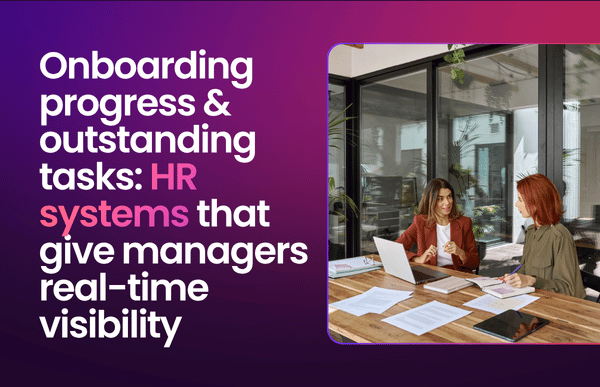
What if there was a better way of onboarding and tracking outstanding tasks, where tasks are assigned automatically and managers can see in real-time what’s done and what’s not?
Here’s what onboarding visibility looks like in practice, and why a connected onboarding module gives you far more control than a checklist ever could.
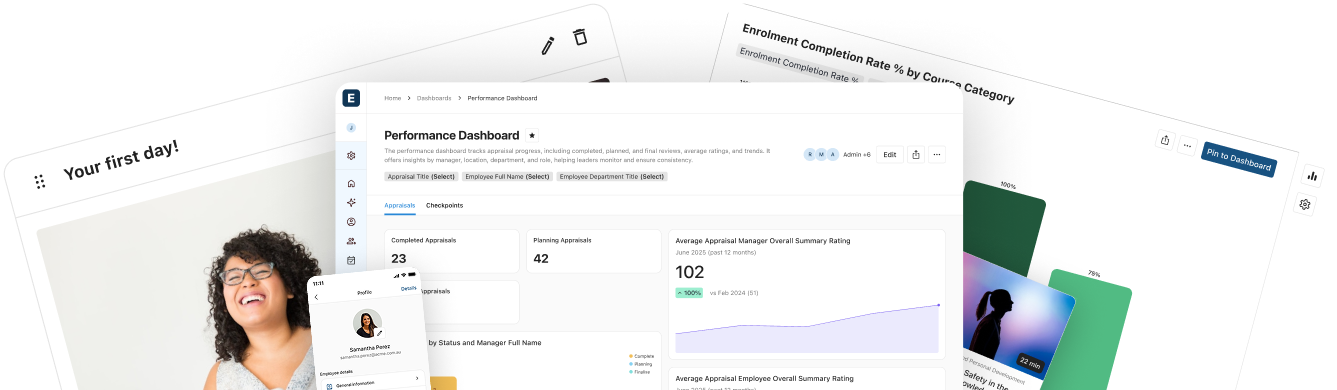
HR platforms with built-in onboarding solutions, like ELMO Software, give managers visibility into onboarding progress and outstanding tasks. Onboarding tasks are assigned through configurable workflows, tracked through progress views, and supported by automated reminders.
| ELMO Onboarding assigns tasks, documents and approvals automatically based on role, department or location. It lets managers and HR track progress in real time and send reminders, giving them a live view of each new starter’s completion status. |
There are plenty of tools that can hold a list of onboarding tasks. You could use spreadsheets as a shared checklist, or project tools like Asana, Trello or Monday.com. The question to ask is whether that list reflects real-time data and is connected to other relevant data points, or is it just a sheet someone remembers to update?
In a connected onboarding module, tasks can be generated automatically by role, department or location, tracked in real time, and supported by automated reminders. The completed onboarding record can then support a smoother handoff into the broader employee record, reducing re-entry across HR, payroll and other people processes.
| Customer spotlight: Before ELMO, NZ construction firm Brosnan ran HR on more than 20 spreadsheets. After ELMO, the HR team reduced a 102-step process to 30 steps, cut new-starter emails by 65% year on year and lifted onboarding completion from around 70% to over 90%. |
If you’re looking for something cheaper, more, flexible, or more familiar, a checklist or generic task tool might suit your current needs. The trade-off is that these tools are not usually designed to connect the onboarding process, compliance records and employee data in the same way as a dedicated onboarding solution. In practice, visibility is often only as current as the last manual update.
Most systems can store a task list. However, these are the things that turn a list into visibility managers can rely on:
Track status and updates. Managers should be able to see what is done, what is outstanding and what needs attention, without asking HR for a progress update.
Tasks assigned automatically by role. Visibility only helps if the right tasks appear automatically based on role, department or location rather than being rebuilt for every hire.
Automated reminders that close the gaps. The system should surface overdue tasks before the start date, rather than relying on HR to chase each one manually.
Connected to the broader employee record. A generic task board can track tasks, but a dedicated onboarding module is better placed to connect progress, compliance items and employee data across downstream systems, reducing duplication and re-entry.
Completion and compliance in one view. Look for acknowledgements, licences, expiry dates and audit-ready reporting in one place, especially in regulated industries.
Once a system tracks tasks and shows completion, these are the differences that matter most for Australian and New Zealand teams:
One connected record across the employee lifecycle. Onboarding data should support a smoother handoff into payroll, compliance and other people processes, reducing later reconciliation work for HR.
Compliance visibility built in. For regulated industries like finance, insurance, healthcare, and construction, the system should capture acknowledgements, licences and expiry dates and make audit-ready reporting easy to produce.
Works for deskless teams. New starters across sites and devices should be able to complete tasks anywhere, and managers should be able to track progress in one place.
The payoff of connected onboarding is not just time handed back to managers. It also shows up in completion, consistency and workflow efficiency.
At Brosnan, ELMO’s automated workflows reduced their 102-step onboarding process to 30 steps, and lifted onboarding completion from around 70% to over 90%. At PetSure, onboarding one person used to take four days; with ELMO, assigning a workflow now takes 30 seconds.
What HR platform gives managers visibility into onboarding progress and outstanding tasks?
ELMO Software gives managers visibility into onboarding progress and outstanding tasks through its built-in onboarding module. Progress tracking and automated reminders are combined with connected employee data and downstream HR workflows, distinguishing it from standalone onboarding tools that operate in isolation.
How do managers track a new starter’s onboarding progress?
Managers should be able to track onboarding through a dashboard or progress view that shows each new starter’s assigned tasks, completion status and overdue tasks. With ELMO Onboarding, tasks can be assigned by role, department or location, and progress updates can be tracked as the new hire completes each step.
Can a generic task tool like Trello or Monday.com handle onboarding?
It can hold a task list, but it’s not usually designed to connect onboarding progress, compliance acknowledgements and employee data in the same way as a dedicated onboarding module. That means a manager’s visibility may only be as current as the last manual update.
What is the difference between onboarding software and an HRIS?
Onboarding software streamlines post-hire tasks like paperwork, training and task tracking. An HRIS is broader and covers employee data, payroll and often recruitment and onboarding too. Ideally, they work together across the employee journey, which is how ELMO positions its broader platform.
Does ELMO give managers onboarding visibility?
Yes. With ELMO Onboarding, managers and HR can assign tasks, documents and approvals by role, department or location, track progress in real time, send reminders, and produce audit-ready reports covering acknowledgements and expiry dates.