By industry
  By role
  By use case
  Customer Success
  Implementation
  Training & Development
 7 Key Learning & Development Metrics to Track
Providing opportunities for professional development is a worthy investment for any organisation. But how can…

 Platform
  Hire
Hire  Schedule
  Pay
Pay  Develop
  Plan
Plan  Partner Program
  Partner Finder
  Partner Stories
  Flare Employee Benefits
 Create engaging, on-brand learning in-house with templates, rich media and assessments. Publish it to ELMO Learning to assign, track and report on training, without specialist production support.
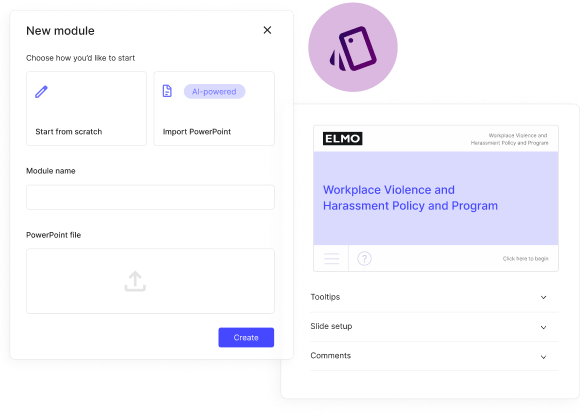


The people closest to your organisation often know what employees need to learn. ELMO Course Builder gives HR and L&D teams a practical way to turn that knowledge into branded, interactive learning without waiting for a specialist development queue.
When policies, processes or compliance requirements change, you can update content in the same environment where training is delivered. That makes it easier to keep learning aligned to the way your organisation works.
Build, preview, publish and manage learning through ELMO Learning. Keeping course creation and delivery connected helps reduce handoffs, maintain visibility and give employees a more consistent learning experience.
Use one authoring experience as your learning needs grow, from compliance and onboarding to role-specific knowledge and broader workforce development. Course Builder can support different teams, content types and workforce environments without changing the core workflow.

Frequently Asked Questions about Course Builder Software.
Course builder software is a digital tool that enables you to create, customise, and deliver online learning content.
ELMO’s Course Builder makes it easy to design interactive learning experiences, structure course materials, and track learner progress and performance – all in one place.
Course Builder is designed for teams and individuals responsible for sharing knowledge or driving employee development. Whether you’re building training on compliance, expense management, or workplace safety (OH&S), it’s a versatile tool for creating engaging, effective learning experiences across your organisation.
Yes! You can easily create assessments or quizzes by choosing the question type, adding images or voice overs etc and setting pass marks. You can also add surveys and customise things like optional answers, anonymity and more.
ELMO Course Builder modules are designed to be mobile-responsive, meaning the content can be accessed on a range of devices, including smartphones, tablets and desktop.
ELMO Course Builder supports the creation of a variety of content types, including text, images, videos, audio files, quizzes, and interactive exercises.
No. Content Builder is a separate paid add-on accessed through ELMO Learning.
Yes, you can easily modify the branding and look and feel of your courses to suit your needs.