By industry
 By role
 By use case
 Customer Success
 Implementation
 Training & Development
How to choose payroll software for a growing Australian business
Payroll is often judged by one simple question: did everyone get paid on time? But…

 Platform
 Hire
 Schedule
 Pay
 Develop
 Plan
 Partner Program
 Partner Finder
 Partner Stories
 Flare Employee Benefits
What Australian businesses should look for in payroll software, from awards and compliance to integration, automation, reporting and scalability.
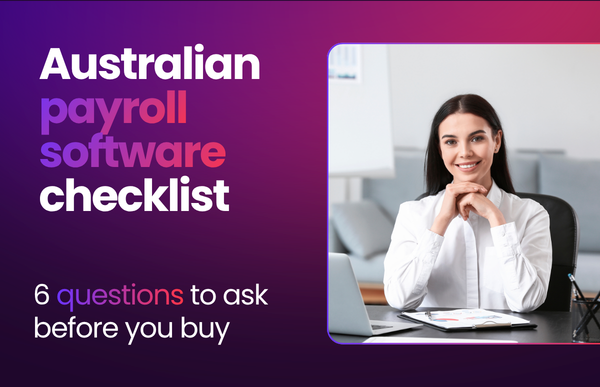
Australia’s payroll environment is one of the most complicated in the world. Strada’s 2025 Global Payroll Complexity Index ranks Australia as the world’s third-most complex payroll market (behind France and Slovakia).
The right payroll software needs to do more than just process pay. It also needs to fit your organisation’s needs today and in the future. In our previous blog, you can use these six steps to help you evaluate your next Australian payroll software.
In this article, we list down important questions to ask yourself and your team while finding the right payroll software for your business.
Is your current payroll the right fit? Watch our webinar
When people look at payroll in general terms, they often think simple payroll means it is a small organisation. But what works for a salaried 1000-employee office may not work for a 100-employee multi-site hospitality group managing multiple pay awards.
Australia operates under 122 modern awards in the Fair Work system. These awards set minimum pay rates and employment conditions that vary by industry and occupation.
Having award interpretation capabilities help turn complex award requirements into clear rules a payroll software can apply to each employee, shift and pay event.
Payroll operates in conjunction with HR, rostering, time and attendance, and finance. If those systems do not connect, the gaps are usually plugged with spreadsheets, email attachments and manual re-entries, which creates delay and increases the chance of errors.
A two-way sync with HR and payroll can help fill in the gaps without the extra manual work.
For shift-based or project-based workforces, these connections are especially important. Rostering and time capture should feed payroll, while payroll and finance should provide visibility into the cost of the hours, overtime, allowances and penalty rates employees actually worked.
From the surface, it can look like your payroll operation is running smoothly. But in reality, is there a lot of hidden manual heavy lifting?
“If your payroll takes three days, where is that time going, and where are those inefficiencies?” Richard Heaton, Solution Consultant for payroll at ELMO Software shares the best way to identify where you’re seeing that time leak.
“Look for where your dead spots are at the inefficiencies. That’s the best place to start,” says Richard.
With your team, walk through the end-to-end process. Start with onboarding. Then follow an employee through a roster, a timesheet, a pay run, a pay adjustment and the finance hand-off. Note down where someone has to manually check, chase, copy, paste, calculate or reconcile information.
Automation can help remove repetitive handling without removing important human checks. Some ELMO payroll engines can automate parts of the back-pay calculation, subject to the engine and pay-run configuration but payroll professionals always review the end result. This helps shift the role from manual data entry towards oversight, risk management and audit.
Employee self-service can reduce the hand-offs between employees, HR and payroll. Instead of relying on payroll to enter or update information on their behalf, employees can manage details such as personal contact information, bank accounts, tax and superannuation details in one place.
Managers also need visibility to manage their part of the process. A dashboard can show who is expected to work, who has clocked in and where timesheets are missing. “This means payroll aren’t the ones who are having to chase it so much because everyone’s got visibility,” exclaims Rich.
“The payroll team can see what they need to see, but it’s also not payroll having to call up managers to say things are missing time sheets.”
This creates a clearer division of responsibility between individuals and teams. Employees and managers own and maintain their information, HR manages the employee lifecycle and payroll focuses on accurate pay, compliance and oversight.
Underpayments can result from award complexity, incorrect classifications, missed updates, annualised salary assumptions or time and attendance problems.
The risk may not be visible until an employee raises a concern or an audit uncovers an issue. The right payroll software can help payroll teams identify unusual results early.
This helps payroll teams move beyond simply processing pay and spend more time doing more strategic work such as identifying risks early, investigating unusual results.
Scalability is about more than adding employees. Growth can also mean introducing new awards, sites, entities, projects, shift patterns and integrations. A system that works for a simple salaried workforce may struggle with casual, part-time, field-based or 24/7 shift workers.
Future payroll state checklist:
Finding the right payroll software for your business
There is no one perfect or “best” payroll system out there. The right choice depends on your workforce, award complexity, existing systems and plans for growth.
That’s why ELMO starts with your payroll process first, not the product. Our approach is to understand your organisation needs, future state and payroll process. We’ll help you identify the manual time drains, hand-offs and risks before exploring a solution in the context of your business.